
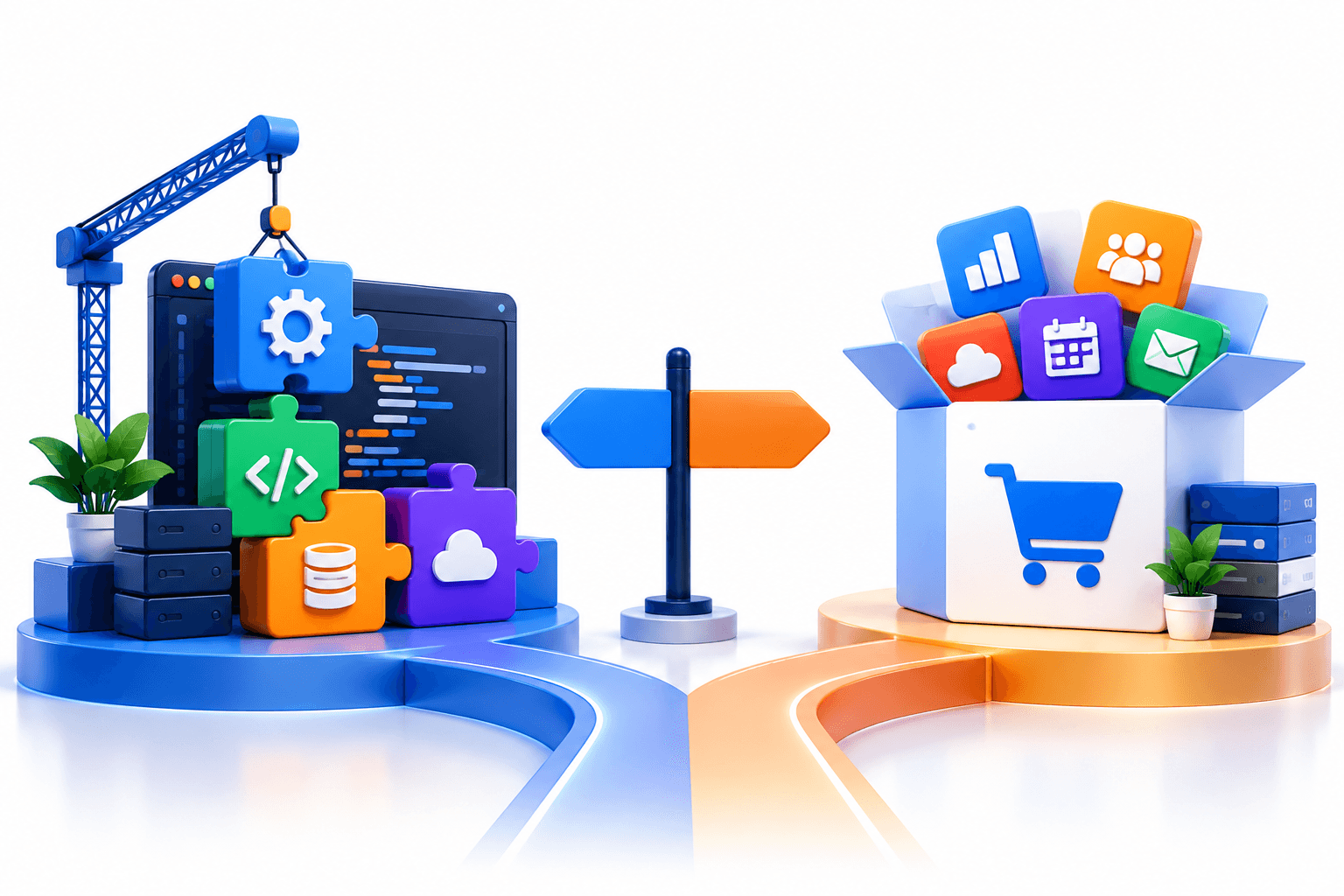
Short answer: Buy off-the-shelf software when your process is standard and a proven tool already fits it. Build custom software when the workflow itself is your advantage, when you need integrations no vendor supports, or when per-seat fees will outgrow the cost of a build.
I’ll be straight with you. Most businesses should not build custom software, at least not at first.
The custom software vs off-the-shelf software decision usually gets framed as quality versus price. That’s the wrong frame. The real question is whether your process is standard or a competitive advantage, and how the costs move as you grow.
This guide gives you the cost math over five years, the honest trade-offs, and a checklist for the build vs buy software decision. Every price comes with a source or a stated assumption, so you can rerun the numbers for your own team.
What’s the Difference Between Custom and Off-the-Shelf Software?
What Custom Software Means
Custom software is built for one business and its specific workflows. You define the features, the code can be yours when the contract assigns it to you, and nothing is there unless you need it.
The trade-off is time and upfront cost. You’re paying a team to design, build, test, and deploy something that doesn’t exist yet.
What Off-the-Shelf Software Means
Off-the-shelf software is a ready-made product sold to many businesses with similar needs. Think CRMs, accounting tools, and project management apps.
Today most of it is sold as SaaS, so the custom software vs SaaS choice is really a choice between owning a product and renting one. You get speed and a low entry price. You also accept the vendor’s features, roadmap, and pricing.
Key Differences at a Glance
| Factor | Custom software | Off-the-shelf software |
|---|---|---|
| Upfront cost | High: you pay for the build | Low: subscription or license |
| Time to launch | Months | Days to weeks |
| Fit to workflow | Built around your process | You adapt to the tool |
| Integrations | Built for your exact systems | Limited to what the vendor supports |
| Cost as users grow | No per-seat licensing in most arrangements, though hosting and support costs may rise | Rises with every seat |
| Code ownership | Defined by contract; client ownership should be explicitly assigned | You license access; the vendor owns the code |
| Maintenance | Your team or partner handles it | Vendor handles it |
| Vendor lock-in | Low | High: the vendor controls pricing and roadmap |
Cost Comparison: Upfront and Over 5 Years
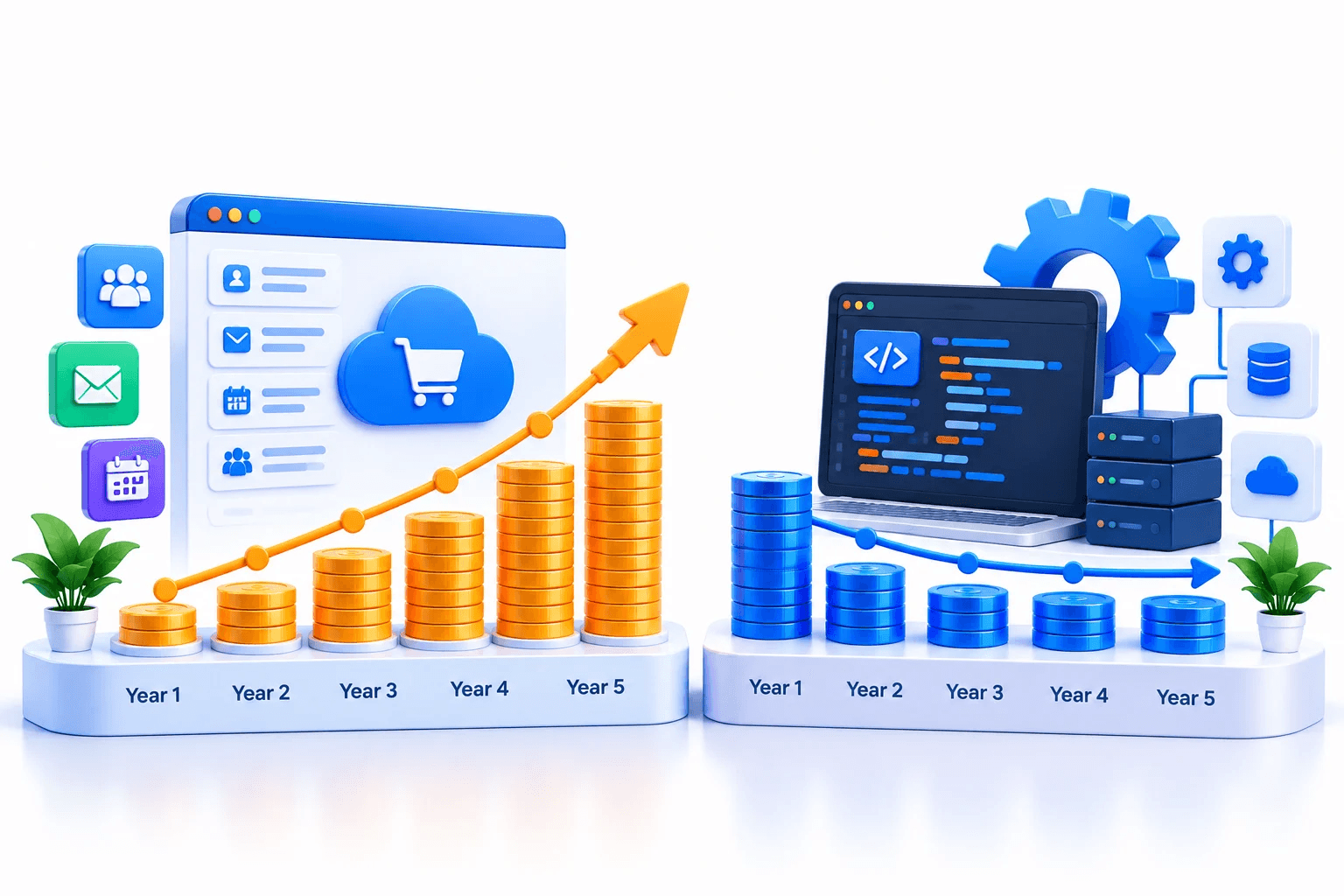
Here’s what nobody mentions in sales calls on either side. The cheaper option in month one is often not the cheaper option in year five.
A fair custom software cost comparison looks at four cost lines, not one. The sections below cover each one, then put them together.
Licensing vs Development Costs
Off-the-shelf pricing is simple. A mid-tier CRM such as Salesforce Pro Suite lists at $100 per user per month, billed annually.
Custom software development cost works differently. It’s estimated hours multiplied by an hourly rate. Agency rates run $150 to $250 an hour in the US, $50 to $100 in Eastern Europe, and $25 to $60 in India.
That spread is why custom software development pricing varies so much between quotes. The same 2,000-hour build costs $80,000 at a $40 blended offshore rate and $300,000 to $500,000 at US agency rates.
Implementation and Integration
Off-the-shelf tools still need setup. Data migration, configuration, user training, and connecting the tool to your other systems all take time and money.
Custom software implementation cost is usually folded into the build itself. The integrations are designed in from the start, rather than added through plugins later.
Maintenance and Long-Term Ownership
With off-the-shelf software, the vendor handles updates, but you pay for that through the subscription. You also absorb any price increases. Salesforce, for example, raised prices on most plans by about 6% in late 2025.
Custom software maintenance cost lands on you or your development partner. Industry practice is to budget 15% to 25% of the original build cost per year for support, fixes, and updates.
5-Year Total Cost Example
Here’s the custom software total cost of ownership next to two off-the-shelf scenarios. One is a small team that stays small. The other is a team that keeps growing.
| Cost line | Off-the-shelf: 15 users | Off-the-shelf: 50 growing to 90 users | Custom build (offshore) |
|---|---|---|---|
| Licenses or build, year 1 | $18,000 | $60,000 | $80,000 |
| Setup and integration | $10,000 | $30,000 | Included in build |
| Licenses, years 2 to 5 | $72,000 | $360,000 | None |
| Maintenance, years 2 to 5 | Included | Included | $64,000 |
| Hosting, 5 years | Included | Included | $30,000 |
| 5-year total | $100,000 | $450,000 | $174,000 |
The assumptions behind each line:
- Licenses - $100 per user per month at list price, with no future price increases. The growing team adds 10 users a year.
- Setup - These are our estimates for migration, configuration, and training.
- Build - 2,000 hours at a $40 blended rate. This is our estimate for a custom tool covering a team’s core workflow, not a full replacement for every feature of a major CRM.
- Maintenance - 20% of the build cost per year, the midpoint of the 15% to 25% industry range.
- Hosting - $500 a month, our assumption for a mid-size internal tool.
At 15 users, buying wins by $74,000. At 50 users growing to 90, building wins by $276,000.
At these prices, the break-even sits at around 25 to 30 seats over five years. This estimate assumes $100 per user per month, the stated setup costs, and the custom-build budget shown above. Different licensing discounts, maintenance needs, and hosting costs will change the break-even point.
The real custom software development cost also depends on your scope and who builds it. At US agency rates, the build alone would erase most of that advantage.
Benefits and Limitations of Each Option
Every list of custom software advantages and disadvantages says the same things. What matters is which ones apply to your business, so here they are with the conditions attached.
Custom Software: Benefits and Limitations
The benefits of custom software development show up when your workflow is unusual or your team is large:
- Exact fit - The software follows your process instead of forcing workarounds. That matters most when the process is what sets you apart.
- Integrations on your terms - You connect exactly the systems you use, in the way you need them to work together.
- No per-seat fees - Growth can raise hosting and support costs, but you don’t pay a license fee for every new user.
- Ownership - With IP rights assigned in your contract, you control the code, the data, and the roadmap.
The limitations are real too:
- Slow start - Expect months before launch, not days.
- Higher upfront spend - You pay for the build before you see any value from it.
- Ongoing responsibility - Maintenance, security, and updates are now your job or your partner’s.
Off-the-Shelf Software: Benefits and Limitations
The benefits of off-the-shelf software are strongest when your needs are common:
- Speed - You can be working in the tool this week.
- Low entry cost - There’s no build bill, and many tools have free or cheap starter tiers.
- Proven and supported - Thousands of other companies have already found the bugs.
The limitations grow over time:
- You adapt to the tool - Processes that don’t fit get bent to match the software.
- Seat costs compound - Every new hire adds to the bill, every year.
- Vendor control - Pricing, features, and even product survival are decided by someone else.
Use Cases: When Custom Software Makes Sense
Knowing when to choose custom software comes down to a few clear signals:
- Your workflow is your advantage. If the way you operate is what makes you better than competitors, putting it inside a generic tool gives that edge away.
- You need integrations nobody offers. Legacy systems, niche marketplaces, or hardware often have no off-the-shelf connector.
- Seat fees are outgrowing a build. If your team is past the break-even point and still growing, renting gets more expensive every year.
- You’ve outgrown your current tool. Manual workarounds, spreadsheets beside the software, and constant plugin fixes are the usual signs.
Custom software for enterprise teams often hits several of these at once. That’s why large companies run a mix of both.
Use Cases: When Off-the-Shelf Is the Better Choice
Off-the-shelf usually wins in these situations:
- You have a limited budget. For most startups and early teams, a subscription preserves cash for the product customers pay for. Custom software for startups makes sense mainly when the software is the product itself.
- Your needs are standard. Accounting, email, payroll, and basic CRM are solved problems. Custom software for small business rarely beats a proven tool for these.
- You need it running fast. If the problem costs you money every week, a tool that works now beats a better tool six months from now.
The Third Option: Buy the Core, Build the Edge
Most guides treat this as a two-way choice. In practice, many companies get the best result from both.
Buy off-the-shelf tools for standard functions. Then build a custom layer on top through the vendor’s API, covering only the workflow that’s truly yours.
This works especially well as custom software for small business teams that have one unusual process but standard everything else. You pay for a small build instead of a full platform, and you keep the vendor’s reliability for the rest.
How to Decide: A Build vs Buy Checklist
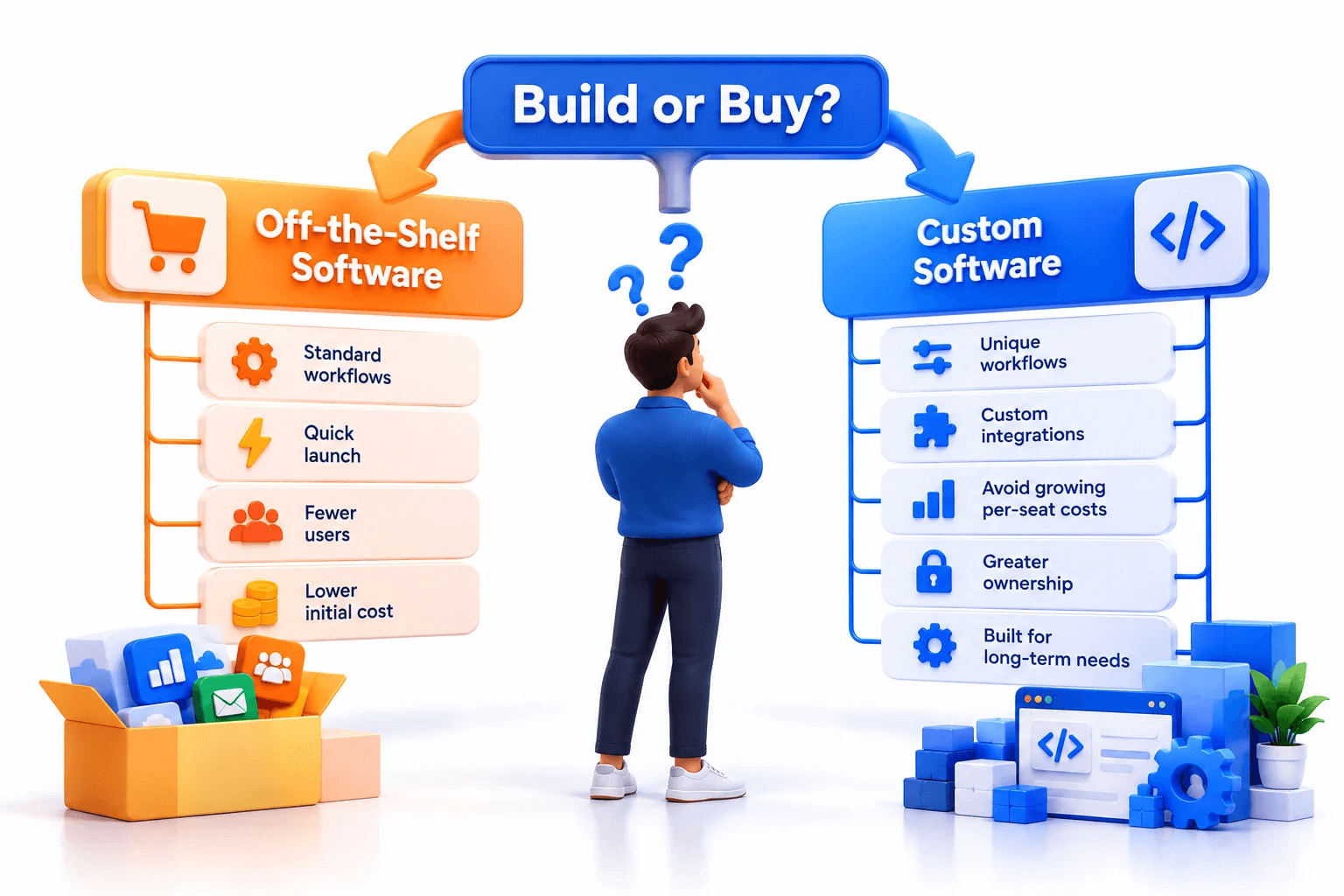
Run your situation through these questions before you commit either way. The build vs buy software answer usually becomes clear by the fourth row.
| Question | Points to buying | Points to building |
|---|---|---|
| Is the process standard in your industry? | Yes | No, it’s how we compete |
| Does a tool cover 80% or more of your needs? | Yes | No, we’d need heavy workarounds |
| How many users in 3 years? | Fewer than about 25 | Well past 25 and growing |
| Do you need integrations vendors don’t support? | No | Yes |
| How soon do you need it running? | This month | We can wait 4 to 8 months |
| Who will maintain it? | We’d rather the vendor did | We have a team or partner |
If most answers land in one column, that’s your answer. If they split, look closely at the hybrid option above.
Either way, the custom software vs off-the-shelf software choice should be made on five-year numbers, not first-year prices.
How We Evaluate Build vs Buy Decisions
When a company asks us whether to build, we don’t start with a quote. We check four things first:
- Workflow uniqueness - Does the process actually differ from the industry standard, or does it just feel that way?
- Seat count and growth - Where will the team be in three to five years?
- Integration depth - How many systems need to talk to each other, and do vendors already connect them?
- Ownership horizon - Will the business still need this in five years, and who will maintain it?
We only discuss custom software development pricing after those four answers point toward building. Sometimes the honest answer is to buy a tool and come back later.
If you’re reading this and thinking about your own workflow, the next step is seeing what a custom build looks like when the case for it is strong.
How RemoteState Approaches Custom Builds
RemoteState builds custom software with engineering in Noida, India, and a US office in Santa Monica, CA. Our rates run $25 to $49 an hour, which is what keeps the build line in the cost table above realistic.
One example is a logistics startup building a warehouse management platform. The company was founded to fix the limits of legacy warehouse platforms and manual inventory workflows. It needed physical warehouse layout replication, quality control and repackaging workflows, and live order syncs with Amazon, Flipkart, and BlueDart.
No off-the-shelf tool covered that mix, so the project started with warehouse walkthroughs and stakeholder interviews. Mapping how inventory was received, tracked, and dispatched came before any code. That was the key decision, because the software had to follow real warehouse movements.
The team was three people: a fullstack developer, a backend and API specialist, and a QA automation lead. Giving one of three seats to QA was deliberate. Live marketplace syncs had to hold up during peak volume, so continuous regression testing was essential.
The build took 7.5 months: 2 weeks of ideation, 5 months of development, 3 weeks of testing, and a month of deployment. The platform cut mis-shipments and manual reconciliation, sped up high-volume order turnaround, and passed 2,300 downloads with 12% revenue growth.
That’s the benefits of custom software development in practice: a workflow no vendor sold, built around how the business actually runs. Read the full case study.
Final Thoughts
The custom software vs off-the-shelf software decision isn’t about which option is better. It’s about which one fits your process and your growth over the next five years.
Buy what’s standard. Build what makes you different. If you’re not sure which side your workflow falls on, talk to our team and we’ll run the five-year numbers with you, even if the answer is to buy.
Frequently Asked Questions
Custom software vs off-the-shelf software: one looks cheaper until your team grows. See the real 5-year cost math and when building actually pays off.


